

Key Takeaways
- 2D and 3D virtual try-on differ mainly in what you feed them. A 2D virtual try-on runs on the product images you already own. 3D needs a modeled asset for every SKU.
- Production-ready 3D models run roughly $150 to $1,500 each (Cad Crowd). At 500 SKUs that is a six-figure decision before a single shopper tries anything on.
- 3D virtual try-on wins for rigid, rotatable products where geometry decides the sale. Eyewear, a 3D watch, rings.
- AI-powered virtual try-on in 2D wins for soft goods. Cloth simulation is the hardest and most expensive part of creating 3D, and diffusion models now beat it on realism for apparel.
- Neither format arrives with a guaranteed return rate or a guaranteed lift in conversion rates. Rooop has not published an audited average across its own stores, so this article hands you the break-even arithmetic to run on your numbers instead of a benchmark you have no way to check.
Someone on your team got a quote to 3D model the catalog. You looked at the number, looked at the SKU count, and closed the tab.
That is the actual decision behind 2D vs 3D virtual try-on. Not which technology is more impressive. Which one your catalog can afford to feed.
Most comparisons dodge it. They line the two virtual try-on technologies up side by side, describe 3D as the premium tier and 2D as the budget option, then leave you to guess what premium costs at 500 SKUs. It costs a lot. And for a big chunk of the retail industry it buys you a worse result, not a better one, because the thing 3D handles worst happens to be fabric.
So here is the comparison with the money in it. What each type of virtual try-on technology actually is, what it renders, what it costs per SKU, and which products belong on which side. If you want the broader definition first, the complete guide to virtual try-on technology covers the category end to end.

What Is 2D Virtual Try-On?
2D virtual try-on is a technology that renders a product onto a flat image of the shopper using existing 2D images from your catalog, with no 3D asset required. Modern 2D virtual try-ons use AI image synthesis rather than a pasted overlay, so the garment reshapes to the shopper's body type, pose, and lighting in a single generated preview.
Worth separating two things that both get called 2D, because they are not remotely the same product.
The old version is a sticker. A transparent PNG of a t-shirt gets scaled and positioned over a product image. It is fast, it costs nothing, and it looks exactly like what it is. Shoppers do not trust that kind of overlay and it does not move the numbers.
The current version is generative. A diffusion model, the same class of AI behind image generators, redraws the garment onto the shopper's own photo. Sleeves fall where sleeves fall. A knit reads as a knit. The shadow under the hem lands in the right place because the model learned where hems cast shadows from the photography it was trained on.
That second version is what people mean now when they say AI virtual try-on. Rooop uses AI exactly this way, and hits 99% visual fidelity on apparel.
How 2D Virtual Try-On Works: From Product Image to Preview
- The shopper uploads a photo, or picks one of the store's model images.
- Computer vision locates body landmarks. Shoulders, waist, hips, limb angles.
- AI algorithms take the flat 2D product image from the catalog and re-render it onto that body with correct drape, occlusion, and lighting. Machine learning does the part that used to need a physics engine.
- A single finished visualization comes back, usually within a few seconds.
No camera permission. No app install. No 3D object anywhere in that chain. The shopper just has to upload a photo.
What Is 3D Virtual Try-On?
3D virtual try-on is a technology that renders a true three-dimensional model of the product in real-time, tracked to the shopper's face or body through the device camera. It supports rotation and multiple viewing angles, but it requires a modeled and textured 3D product asset for every SKU before anything can be rendered.
3D is the augmented reality technology behind almost every AR try-on you have used for eyewear. Vendors build a geometric model of the frame, then track the shopper's face at 30 or 60 frames per second and render the frame in place (Fittingbox).
The virtual try-on experience is genuinely immersive when it works. You turn your head, the temples swing with you, and you can judge how the frame sits on your nose bridge. That is information a still image cannot give you. It is the closest thing online shopping has to in-store shopping for that category.
How 3D Virtual Try-On Works: Models, Tracking and Rendering
- Every SKU gets modeled and textured, usually in CAD software or by photogrammetry, producing a 3D object with real material properties. This is 3D product visualization before it is try-on.
- The shopper opens the camera. The AR virtual layer uses augmented reality frameworks such as ARKit or ARCore to detect and track the face or body.
- The 3D product is anchored to those tracked points and rendered live at interactive frame rates.
- Physics or cloth simulation runs on top if the product is soft, which is where things get expensive and where a lot of 3D virtual try-on quietly falls apart.
Some 3D virtual try-on solutions skip live camera tracking and dress 3D avatars instead, which sidesteps the AR requirement but introduces a different problem. The avatar is not the shopper, so the shopper still has to imagine the translation.
2D vs 3D Virtual Try-On Technology: How Each Type Works
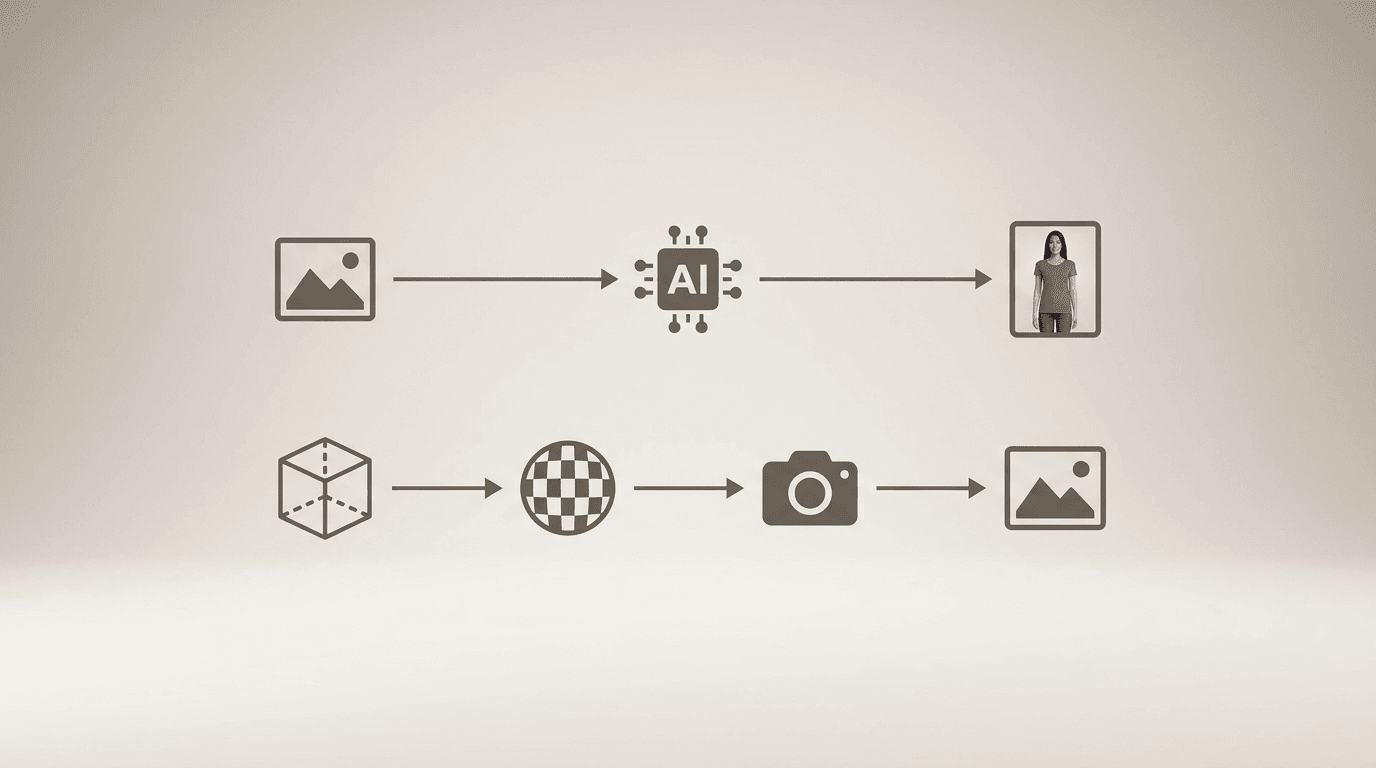
The core difference is the input. A 2D virtual try-on consumes product images you already have and outputs a generated still. A 3D virtual try-on consumes a modeled asset per SKU and outputs a live, rotatable render. Everything else, cost, speed, device support, accuracy, follows from that one distinction.
| 2D (generative AI) | 3D (model + AR) | |
|---|---|---|
| Input needed per SKU | Existing 2D product image | Modeled, textured 3D model |
| Asset cost per SKU | None | ~$150 to $1,500 |
| Output | Generated still image | Real-time interactive render |
| Viewing angles | One per generation | Rotatable, multi-angle |
| Camera permission | Not required | Required |
| Device support | Any device with a browser | Newer phones, AR-capable |
| Typical latency | Seconds per generated image | Real-time once assets load |
| Best at | Soft goods, apparel, drape | Rigid geometry, fit on face |
| Weakest at | Multi-angle inspection | Fabric behavior, catalog scale |
| Time to launch a catalog | Hours | Weeks to months |
That table is the whole argument, honestly. The rest of this article is the detail behind each row.
One thing this comparison deliberately leaves alone is the AI versus AR engine question, which is a different axis and gets its own treatment in AI vs AR virtual try-on. And if your framing is about fit rather than format, the virtual fitting room technology guide is the better starting point.
2D vs 3D: Accuracy and Visual Fidelity
Neither type is universally more accurate. 3D is more accurate for rigid objects with fixed geometry, because the model is a literal measurement of the product. Generative 2D is more accurate for clothing, because AI-rendered fabric drape currently beats real-time cloth simulation on realism.
This surprises people, so here is why.
A pair of glasses has one shape. Model it once, render it correctly, done. The geometry is the truth and accurate 3D captures the truth exactly. Rigid objects are close to a solved problem.
Fabric is not one shape. A linen shirt on a narrow frame and the same shirt on a broad frame are two different silhouettes, and the difference is physics running on a material with its own weight, stiffness, and weave. Real-time cloth simulation that looks convincing is expensive to build and still tends to read as slightly plasticky. Diffusion models, meanwhile, learned drape from photographs of real clothes on real people. That sidesteps the simulation problem entirely and lets a shopper see how clothes fit rather than how a simulation thinks they fit.
The academic literature circles the same trade-off. Image-based 2D try-on is described as lightweight and prevalent but constrained by a fixed viewpoint, while 3D try-on depends on parametric human models and large 3D training sets that are expensive to build (IPVTON, arXiv 2025). Multi-view work like VTON 360 exists precisely because the fixed viewpoint is the open problem in 2D.
So the honest scoring is per category, not per technology. Deep learning has moved the apparel line a long way in three years. It has moved the eyewear line hardly at all, because eyewear was never the hard case.
2D vs 3D: Speed and Performance
Generative 2D try-on returns a finished image in seconds and runs anywhere a browser runs. 3D try-on is real-time once loaded, but the load is the problem: assets have to download, the camera has to initialize, and tracking has to lock on before the shopper sees anything.
Rooop returns a finished try-on while the shopper is still on the product page, with fallback handling for the awkward inputs (odd poses, low light) that make other tools error out. Camera-based alternatives spend most of their time before rendering even starts: the permission prompt, then the asset download, then waiting for tracking to lock on.
That gap matters more than it sounds. Roughly 70% of ecommerce traffic is mobile, and mobile shoppers on mid-range Android devices are exactly the group that AR asset loading punishes hardest.
There is also a permission cliff. Every camera prompt is a place shoppers say no. A photo upload has no prompt. Small thing. Big drop-off difference.
2D vs 3D: Implementation Complexity for Online Stores
2D virtual try-on typically launches in hours because the assets already exist. 3D requires a digitization project first: every SKU modeled, textured, optimized for web delivery, and QA'd, which turns a software decision into a production pipeline.
For 2D the setup is roughly this. Install the app, map your product images, pick which collections get the try-on feature, publish. Rooop's average implementation time across customers is 2 to 4 hours, and the same install covers Shopify, WooCommerce, or BigCommerce online stores.
For 3D the setup is a project plan. You are scoping a vendor or an in-house 3D artist, building a style guide so 200 models look like they came from the same catalog, then re-optimizing each asset so it loads on a phone. New SKUs need the same treatment before they can go live, forever.
That last part is the one teams underestimate. A brand dropping 40 new styles a season has just signed up for 40 modeling jobs a season. If you are a small team, the DTC and small business guide to virtual try-on walks through what is realistic at that headcount.
2D vs 3D Virtual Try-On Cost: The 3D Asset Trap
The software subscription is rarely the deciding cost. Creating 3D assets is. At roughly $150 to $1,500 per production-ready model, digitizing a mid-size catalog costs more than several years of try-on software, and every new SKU adds to the bill.
Here is the math nobody in the search results seems willing to write down. Using a conservative $300 per model, which sits at the low end of published ranges for a simple, well-photographed product:
| Catalog size | 3D asset cost at ~$300/SKU | 2D asset cost |
|---|---|---|
| 50 SKUs | ~$15,000 | $0 (existing photos) |
| 500 SKUs | ~$150,000 | $0 |
| 2,000 SKUs | ~$600,000 | $0 |
Catalog-scale discounts help. Studios reuse templates and materials across SKUs and pricing typically drops 20% to 40% past about 10 SKUs (pixready). Even so, the shape of the number does not change.
Against that, Rooop's virtual try-on starts at $24/month, with Pro at $119 and Business at $399, and 20% off annual billing. Compare the two columns and the reason most small and mid-size retailers quietly choose 2D stops being mysterious. If you want the full breakdown of subscription, usage, and asset-fee models, that lives in the virtual try-on pricing guide.
The trap is not that 3D is expensive. It is that the expensive part is invisible at the demo stage. You evaluate a beautiful AR try-on, sign a software contract, and then discover the software was the cheap half.

Which Products Work Best With 2D Virtual Try-On?
Generative 2D try-on suits soft, draping, or worn-flat products where the shopper's question is how does this look on me rather than what shape is this object. Apparel is the flagship use case.
- Tops, dresses, outerwear, knitwear. Anything where drape carries the decision.
- Bottoms and denim, where body type matters more than object geometry.
- Bags and scarves worn against the body.
- Necklaces, pendants, and earrings shown at a natural viewing angle.
- Virtual makeup and beauty shades, where color on the shopper's own skin tone is the whole question.
- Any brand with a large or fast-moving catalog, because the marginal cost of adding a SKU is zero.
One thing runs through that whole list. In every entry the shopper's doubt is about how something appears on a body rather than what shape an object is, and appearance on a body is exactly what a generated image settles. Rooop has no audited per-category benchmark to set beside it, so read the list as a fit test for your catalog rather than as a performance forecast.
Which Products Work Best With 3D Virtual Try-On?
3D try-on suits rigid products with fixed geometry that shoppers need to inspect from several angles, especially anything worn on the face or wrist where fit is about millimeters.
- Eyewear and sunglasses. Frame width against face width is a real measurement, and the AR try-on shows it live.
- Watches, where a shopper wants to rotate a 3D watch and judge case thickness.
- Rings and rigid fine jewelry.
- Shoe try-on, where profile and silhouette from multiple angles drive the decision.
- Small, slow-changing catalogs, where using 3D on 40 hero SKUs is a one-time project rather than an ongoing tax.
I will be straight about the limitation on our side. A photo-based system gives one viewpoint per generation. If your shopper's core question is what does this look like from the side, 3D answers it better, and Rooop is not the right tool for that job.
How Retailers Actually Use Each Technology
Most stores that get this right do not pick one religion. They match technology to category.
What predicts whether a try-on earns its keep is not the format. It is whether the category has one dominant doubt that an image can settle. A jewelry shopper stalls at the cart because they cannot picture the piece against their own skin, so cart abandonment is the number that moves first there. An eyewear shopper stalls because they cannot judge frame width against their face, and that is a geometry question, which is 3D's home ground. An apparel shopper stalls on drape, which is 2D's. Match the format to the doubt and the try-on does real work. Miss it and you have installed decoration on a product page.
I am not going to hand you a percentage at this point in the article. Rooop has not published an audited before-and-after study across its own stores, and leaving that gap visible beats filling it with an average we cannot defend. What we can give you is how to read your own result once the thing is live.
- Run a holdout. Switch try-on on for half your traffic in one category rather than all of it. A plain before-and-after measures your season at least as much as it measures your software.
- Give returns a full quarter. A reduction lands one full return window after the orders it applies to, so a 30-day read is looking at the wrong cohort entirely.
- Split the result by device. With roughly 70% of ecommerce traffic on mobile, a change that only helps desktop shoppers is barely a change at all.
Different categories, same test. The try-on is worth having when it removes the specific uncertainty that was blocking the purchase, and worth dropping when it does not. If you want the vendor-by-vendor view, the best virtual try-on software comparison covers who does what, and the virtual fitting room software roundup goes deeper on apparel sizing tools.
Benefits of Virtual Try-On: Reduce Returns and Lift Conversion Rates
Virtual try-on offers three measurable benefits regardless of whether it runs in 2D or 3D: fewer returns, a higher conversion rate, and higher average order value. Published third-party case studies put return reductions at 20 to 35% and conversion lifts at 15 to 40% on the SKUs where try-on is switched on (AiShirt, Virtual Try-On Buyer's Guide for Ecommerce 2026). Rooop does not publish an audited average of its own, so run the break-even math below against your own numbers.
The mechanism is boring and that is why it works. Online shoppers hesitate because they cannot resolve one specific doubt. Does this fit my body. Does this color work on me. Is this piece too big for my hand. A virtual try-on feature answers that doubt at the moment it appears, and the online shopping experience stops requiring imagination.
Returns are the largest recoverable cost in this category, and the published numbers are big enough to be worth doing arithmetic over. The National Retail Federation and Happy Returns put 19.3% of online sales as returned during 2025, and Optoro puts the cost of processing a return at roughly 27% of the purchase price, enough to erase half the margin on the original sale. For most stores the returns side of the ledger is worth more than the conversion side, which is why it is the half to model first.
Here is the arithmetic, and it works the same whichever format you end up choosing. Take one category and run two lines:
Annual return cost = orders x return rate x average order value x 0.27
Break-even reduction % = annual tool cost / annual return cost
That second line is the only number that really matters at the buying stage. It tells you what share of your return volume a try-on has to remove before it has paid for itself, and for most catalogs sitting on a $24 or $119 plan the answer comes out at a fraction of a percent. Underwrite the bottom of the published 20 to 35% range rather than the top, and whatever conversion lift arrives is upside rather than the case for buying.
The benefit is not spread evenly across categories, and the reason is worth understanding before you decide where to switch try-on on first. Cutting returns works best where the hesitation is about appearance rather than fit. Eyewear and jewelry are close to pure appearance decisions, so an image answers the shopper's actual question more or less completely. Apparel keeps a layer of residual fit risk that no rendering engine removes, because knowing how a jacket looks on you does not tell you whether the sleeves are the right length. That split is also the argument for 3D in eyewear: the doubt being resolved there is geometric, and geometry is what 3D does best.
Customer satisfaction tracks the same curve as the return rate, since the shoppers least likely to send something back are the ones who were never surprised by what arrived. Average order value tends to move last and move least, so treat any AOV gain across the stores using virtual try-on as a bonus rather than as a line in your business case.
Top Virtual Try-On Features to Look For in Either Technology
Format is one decision. The feature set underneath it is another, and it matters more than most buyers expect. Good try-on experiences share the same underlying checklist whichever side of the 2D and 3D line you land on, so check for these before you sign.
- Real-time or near-real-time output. Anything slower than about 5 seconds loses shoppers. Ask for the median, not the best case.
- No-app, no-permission access. Try-on apps that require a download bleed users at the install step. Browser-based beats native for reach, and the user experience starts before the render does.
- Mobile-first rendering. Roughly 70% of traffic is mobile. Test on a mid-range Android device, not a flagship iPhone.
- Honest fidelity on your category. Ask the vendor to run your worst product image, not their demo catalog.
- Size and fit signalling. Visualization alone does not tell a shopper their size. Some virtual fitting room tools pair the visual with a size recommendation.
- Platform-native install. A real Shopify or WooCommerce app beats a custom API integration for anyone without a developer.
- Photo privacy and data handling. Shopper photos are personal data. Ask every vendor where those photos go, how long they are kept, and what is in writing about it.
- Graceful failure. Every AI technology fails on some inputs. What the shopper sees when it does is a product decision, not an edge case.
The Future of 2D and 3D Virtual Try-On
The interesting shift is that the two approaches are converging rather than competing. Generative models are learning to produce consistent multi-view output, which chips away at the fixed-viewpoint limitation that was 2D's main weakness. Meanwhile 3D pipelines are getting cheaper as photogrammetry and AI-assisted modeling cut the manual hours per asset.
Where does that leave the retail landscape in three years? Probably here. The asset format stops being a shopper-visible choice and becomes an infrastructure decision, the way image CDNs are today. Virtual reality and full immersive commerce keep getting announced and keep not arriving at scale, because the friction of putting on a headset to buy a sweater is not a technology problem.
What does look inevitable is that try-on stops being a differentiator. In 2015 customer reviews were a competitive advantage. By 2020 a product page without them looked broken. Virtual try-on is on the same curve, and the future of shopping online probably includes it as table stakes rather than as a feature you brag about.
2D or 3D? A Decision Framework for Your Catalog
Four questions, in order. The first one that gives a clear answer usually settles it.
- Does the shopper need to rotate the product? If yes, and the geometry is the decision, budget for 3D on those SKUs. If they mostly need to see it worn, 2D.
- How many SKUs, and how fast do they turn over? Multiply your SKU count by $300 and see if the number is survivable. A 40-SKU eyewear line is a project. A 2,000-SKU apparel catalog is not.
- Is your product soft or rigid? Soft goods lean 2D on quality grounds, not just cost. Rigid goods lean 3D.
- What share of your traffic is mid-range mobile? A heavy mobile skew punishes AR asset loading and camera permission prompts.
If you land in the middle, split it. Run generative 2D across the full catalog for coverage, and commission 3D for the handful of hero SKUs where rotation genuinely sells the product. Nothing stops you from running both, and for mixed catalogs it is usually the cheapest path to full coverage.