

Key Takeaways
- A virtual mirror is an in-store screen that shows shoppers wearing products digitally. Online try-on delivers the same virtual try-on experience on your website, with no hardware.
- The core difference is reach: an AR mirror serves the people standing in front of it. Web-based virtual try-on technology serves everyone who visits your product pages, which for most retailers is the vast majority of shoppers.
- Our verdict: smart mirrors are great brand theater for flagship stores. If you have to pick one, pick the web. It's cheaper, faster to launch, and it touches every customer.
You've probably seen the demo videos. A shopper stands in front of a sleek full-length screen, waves a hand, and suddenly she's wearing a red dress she never physically touched. It looks like magic. Retail executives see those videos and want one in every store.
Here's the question I keep hearing from ecommerce teams though: is that the same technology as the try-on widget on our website? And if we can only fund one of them, which one actually moves revenue?
Short answer: they're cousins, not twins. A virtual mirror is a piece of in-store hardware. Online try-on is software that lives on your product pages. They solve different problems at wildly different price points, and confusing the two has burned real retail budgets.
I work at Rooop, where we build AI virtual try-on for ecommerce stores, so I'll be upfront about my bias toward the web side. But we watch this decision play out across our customer base every quarter, and the tradeoffs the fashion industry runs into here are more interesting than either camp admits. Let's take them apart.
What Is a Virtual Mirror? In-Store Smart Mirror Technology Explained
A virtual mirror is a screen-based device installed in physical stores that displays a live image of the shopper with products digitally overlaid, so they can virtually try on products like clothing, makeup, or accessories without a fitting room. It combines a camera, a display, and augmented reality software, sometimes with RFID product sensing.
Think of it as a mirror that lies to you, in a useful way. The screen shows you, in real-time, wearing something you're not.
The virtual mirror concept has been around retail for over a decade. Luxury and beauty brands ran the famous pilots. Charlotte Tilbury put Magic Mirrors in its boutiques as a virtual artist for makeup, letting shoppers preview a lipstick shade without touching a tester. Ralph Lauren opened eight interactive fitting rooms at its Fifth Avenue Polo flagship in 2015, built with Oak Labs, where an RFID reader recognized every garment a shopper carried in and the mirror offered other colors, other sizes, and three lighting presets. The pattern repeats: a flagship store, a striking installation, a wave of press coverage about the future of retail.
A typical retail mirror installation includes:
- A large touchscreen or mirrored display
- A camera array (sometimes depth-sensing) watching the shopper
- Augmented reality software that overlays products on the live video feed
- Optional RFID readers that detect which physical item the shopper carried in
One distinction worth pinning down early, because vendors blur it constantly: virtual mirrors are not virtual reality. VR replaces your surroundings with a headset. Mirrors in physical stores keep you in the real-world and layer digital products on top. That's AR technology, not VR.
How AR Mirrors and Computer Vision Work in Physical Stores
Under the hood, an AR mirror is a computer vision system. The camera finds your body or face, maps key landmarks (shoulders, jawline, pupils for eyewear), and the software pins a 3D or 2D product model to those landmarks frame by frame. Some systems lean on full 3D modeling of each garment; others use flat overlays. Good systems track you as you move. That's the hard part. Live tracking at mirror scale needs serious local processing power, controlled lighting, and calibration.
Which is why these devices aren't cheap. You're buying hardware, installation, software licensing, and ongoing maintenance per store, and almost every vendor in the category quotes per deployment rather than publishing a price. What's not in dispute: it's a capital expense that scales linearly with store count. Ten stores, ten mirrors, ten budgets, and a maintenance contract for each.
What Is Online Virtual Try-On? Web-Based VTO Explained
Online try-on (also called virtual try-on or VTO) is software embedded in an ecommerce product page that lets shoppers try on products digitally, either through their phone camera with AR or by uploading a photo that AI processes. No store visit and no hardware required.
Same promise as the mirror. Different delivery. Instead of walking into a store, the shopper is on your website at 11pm, in bed, wondering whether that necklace suits her. She taps the virtual try-on feature and finds out. That's the whole pitch of virtual shopping: the fitting room comes to the customer.
There are two main technical approaches to online try-ons, and the difference matters more than most vendors let on.
AI vs Augmented Reality: Two Ways to Power Online Try-Ons
AR-based try-on streams the phone camera and overlays the product in real-time, like a Snapchat filter. It feels immediate, but it needs camera permissions, drains battery, and struggles with tricky lighting and angles. AR experiences work best for face-anchored items like glasses and lipstick, which is why eyewear and beauty led the first wave of adoption in fashion and beauty retail. Most vendors label this an AR try-on.
AI-based try-on takes a different route: the shopper uploads one photo, and a generative artificial intelligence model renders the product onto it. That's the approach we took at Rooop. Our AI-powered try-on produces the composite at 99% visual fidelity within seconds, and it works on any device because there's no live camera session and no mobile app to install. For apparel, where fabric draping matters, photo-based AI generally beats live AR on realism. For a deeper breakdown of the whole category, our complete guide to virtual try-on technology covers it end to end.
Honest limitation: neither web approach replicates the theatrical wow of a full-length in-store mirror. A phone screen is a phone screen.
Virtual Mirror vs Online Try-On: Key Differences
Virtual mirrors are location-bound hardware: high capital cost, high impact, serving only in-store visitors. Online try-on is software: subscription pricing, fast deployment, serving every website visitor. The technology overlaps, but the business cases barely touch.
Here's the vs table, side by side:
| Dimension | Virtual Mirror (In-Store) | Online Try-On (Web) |
|---|---|---|
| What it is | Physical screen + camera installed in-store | Widget/plugin on product pages |
| Core tech | AR overlay, computer vision, sometimes RFID | AI image generation or mobile AR |
| Who it reaches | Shoppers physically in that store | Every site visitor, any device |
| Cost model | CapEx per store + maintenance | SaaS subscription (Rooop starts at $24/month) |
| Deployment | Weeks of installation per location | Hours (a Shopify install is typically 2-4 hours) |
| Scales by | Buying more mirrors | Traffic, automatically |
| Data captured | In-store engagement | Full funnel analytics per product page |
| Best at | Retail experience, dwell time, press | Conversion, fewer returns, reach |
Three of those rows deserve a closer look.
Hardware AR Mirror vs Software VTO Technology
A mirror is a device you own, mount, calibrate, and repair. Online try-on is code someone else maintains. When the AR model improves, a mirror may need a hardware refresh; a web tool just updates. This sounds like a small operational detail until the day a mirror in your Chicago store freezes mid-demo and there's no one on-site who can fix it.
In-Store Experience vs Online Shopping Use Cases
The mirror's job is experiential. It makes the physical store worth visiting, extends dwell time, and gives people something to post. Online try-on's job is transactional. It sits at the exact moment of purchase doubt ("will this look good on me?") and answers the question before the shopper bounces from the product page. Different jobs. Different metrics. Both count as customer experience investments, but only one of them scales with your traffic. The in-store experience earns loyalty. The online shopping experience earns the order.
Cost: High CapEx Hardware vs SaaS Pricing
This is usually the decision right here. An in-store mirror program is a capital-budget conversation, quoted per location, before you've covered a single additional store. Web-based virtual try-on solutions are a line item on a corporate card by comparison, and Rooop deliberately sits at the low end of that at $24 per month on the entry plan (with $119 and $399 tiers above it, and 20% off annual billing) because we build for small and mid-size retailers. We break the models down properly in our guide to virtual try-on pricing. One of those numbers fits a test budget. The other needs a board slide.
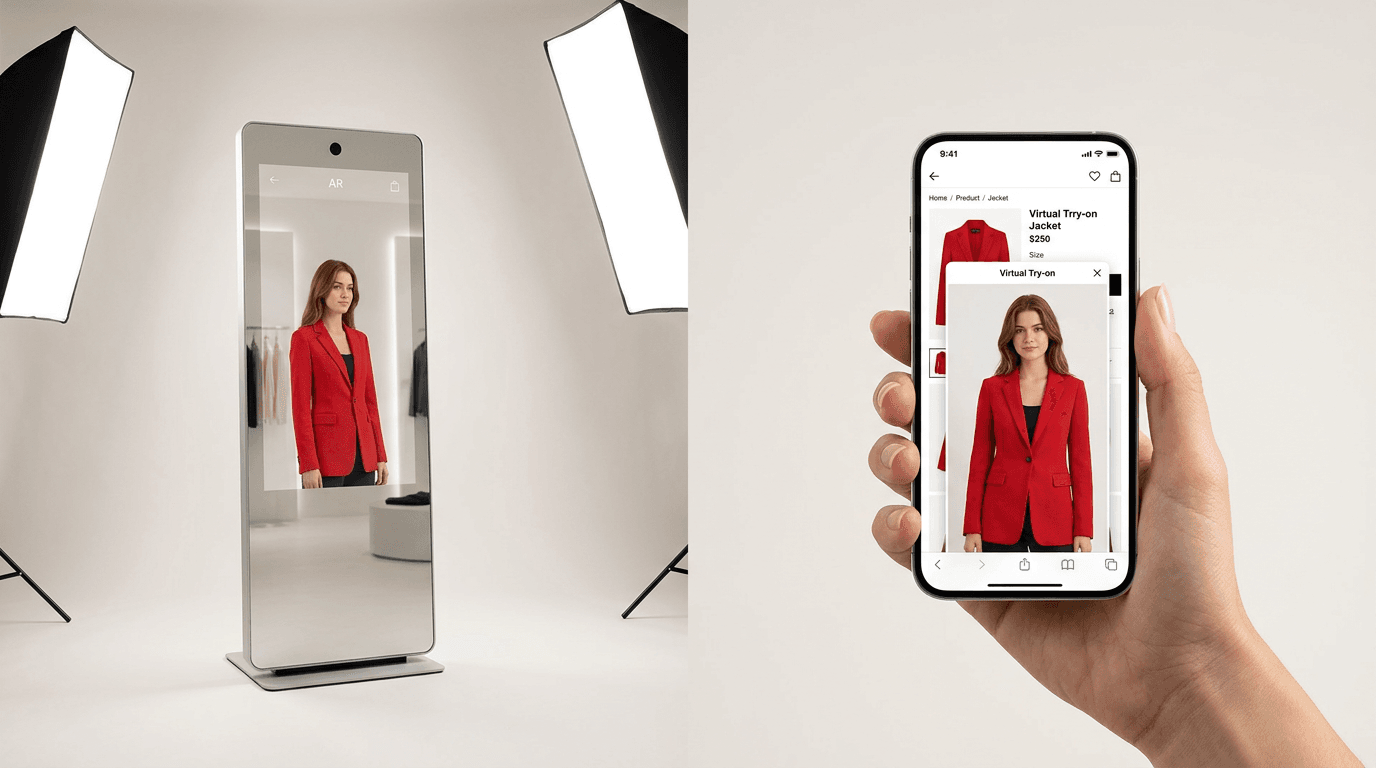
Why Retailers Are Moving from Smart Mirrors to Online Try-On
Retailers are shifting budget from in-store mirrors to web-based try-on because the web is where the shoppers are. A mirror serves the small fraction who walk in; online try-on serves the rest, costs a fraction as much, and produces measurable conversion and returns data.
Four forces are transforming that budget conversation:
- The reach math is brutal. A mirror serves the people standing in one room of one store on one afternoon. Your product pages serve everyone who has ever searched for you, in every city you don't have a lease in, at 11pm. Even a spectacular in-store experience can't touch people who never come in, and for most brands that is the overwhelming majority of the customer base.
- Attribution favors digital. With web VTO you see exactly which products get tried, by how many shoppers, and what happens next. That data loop is what lets a retailer iterate, and it's the reason a web try-on budget can be argued on a spreadsheet instead of on atmosphere. Mirror analytics exist, but they're thin by comparison.
- Returns are an online problem, and try-on attacks it. Online returns ran 19.3% of sales in 2024 (National Retail Federation and Happy Returns), and apparel sits above that average because so much of it is driven by fit. In-store shoppers already have a real mirror. It's the online buyer who's guessing, and that's who web try-on helps. A 2026 buyer's guide reviewing published 2024 to 2025 case studies puts return-rate reductions at 20 to 35% on the SKUs where try-on is switched on (AiShirt, Virtual Try-On Buyer's Guide for Ecommerce 2026). Rooop has not published a controlled return-rate study of its own, so that range, rather than a number of ours, is what we'd plan against.
- Pilot fatigue. Plenty of mirror pilots produced great press and quietly ended there. Hardware that impresses journalists but can't prove revenue tends not to survive budget season. (I'm sympathetic. The demos really are cool.)
Notice what's missing from that list: a Rooop customer average. We don't publish one, because any vendor in this category can assemble a flattering average by choosing which stores to count, and a number built that way tells you nothing about what your store would do. The independent research is the better anchor. DRESSX studied over a million luxury fashion shoppers for its 2026 report and found try-on users converted 50% higher, were about 3x more likely to add to cart, and viewed 7x as many product listings (DRESSX, AI Virtual Try-On Report 2026). Whatever share of that a given store captures, it captures with no hardware, no store rollout, and a launch that fits inside an afternoon. That's the shape of result that reallocates next year's innovation budget.
Benefits of Virtual Try-On Across Online and In-Store Shopping
Whether delivered by mirror or browser, try-on technology raises purchase confidence, and confident shoppers convert more, return less, and spend more. Independent research puts conversion lift in the 15 to 40% range and return-rate reduction at 20 to 35% on the products where try-on is switched on (AiShirt, Virtual Try-On Buyer's Guide for Ecommerce 2026).
The benefits of virtual try-on stack up on both channels, just in different amounts:
- Higher conversion, because "will it suit me?" gets answered before making a purchase (published lifts land between 15 and 40%)
- Fewer returns, because expectations match reality at the door (published reductions land between 20 and 35%, and that's how VTO helps reduce returns at scale)
- Larger orders, since confident shoppers trade up, which falls out of the same confidence effect rather than from a separate mechanism
- Customer engagement and shareability, where mirrors genuinely shine in-store
- Better product visualization data: try-on sessions show you which items people are curious about but not buying
Read those ranges as a best case on a well-chosen category, not as a forecast for your whole catalog. And rather than take anyone's average, including ours, run the arithmetic on your own numbers. It takes two lines. Annual return cost is orders x return rate x AOV x 0.27, using Optoro's estimate that processing a return costs roughly 27% of the item's purchase price. Break-even reduction % is annual tool cost divided by annual return cost. At entry-tier SaaS pricing that threshold turns out to be small enough that most catalogs clear it on returns alone, before any conversion lift arrives. Measure it with a holdout, half your traffic in one category, rather than a before-and-after that's really measuring your season. And give the return figures a full return window to land, because a 30-day read is looking at the wrong cohort.
Also worth remembering: about 70% of ecommerce traffic is mobile. Any try-on experience that doesn't work well on a phone is ignoring most of your visitors, which is one reason we made photo upload the default instead of live AR. Personalization compounds this. Once a shopper has uploaded a photo, you can personalize every product page with an image of them instead of a model, which is a cheap way to enhance the shopping experience.
Top Virtual Try-On Features Retailers Should Look For
When evaluating virtual try-on technology, prioritize realism, speed, device coverage, and analytics. A tool that renders convincingly in under a few seconds on any phone, with no app install, will outperform a flashier one that shoppers abandon.
Whether you're comparing web vendors or mirror vendors, the same try-on features separate the tools people use from the tools people demo once:
- Realism first. If the composite looks pasted on, the interactive shopping novelty dies fast. Ask about fidelity on your product types, not the vendor's showreel.
- Speed. Every extra second of processing loses shoppers. A few seconds is the bar, and anything that makes a shopper wonder whether the page has frozen is already too slow.
- Device coverage: works in a mobile browser without an app or camera permission, on iOS and Android alike.
- Catalog fit: eyewear tools rarely handle dresses, and advanced technology for apparel draping may be overkill for hats. Match the model to your products.
- Analytics that connect try-ons to carts, orders, and returns, so the personalized shopping data actually feeds decisions.
- Immersive extras, from AR mirror modes to immersive experience add-ons like 360 views, are nice bonuses. Treat them as bonuses.
Fashion brands evaluating an ai-powered virtual try-on for the first time usually overweight the wow factor and underweight speed. The usage data flips that ordering within a week of launch. If you want the vendor-by-vendor view, we keep a running comparison of the best virtual try-on software platforms.
How to Extend Your In-Store Mirror Experience to Your Website
To bring the mirror experience online, pick a web-based VTO tool that matches your product category, install it on your product pages, prepare your catalog images, and launch on your best-selling items first. With modern SaaS tools this takes hours, not months.
If you already run mirrors in-store (or wish you could afford to), here's the practical path to giving your online store the same superpower. Implementing virtual try-on technology on the web comes down to five steps:
- Match the tool to your catalog. Apparel and jewelry favor AI photo-based try-on. Glasses and makeup can do well with browser AR. Full disclosure, Rooop is our product and it's built for the first group.
- Install on your platform. For Shopify it's an app install. WooCommerce and BigCommerce use plugins. Typical setup we see is 2 to 4 hours, no developer required.
- Prepare product imagery. Clean, front-facing product photos make composites dramatically better. This is the step people skip and then blame the tool.
- Launch on your top 20 products. Don't boil the catalog. Put the try-on feature where the traffic already is and measure lift there first.
- Watch the same metrics you'd demand from a mirror pilot: try-on engagement rate, add-to-cart rate with and without try-ons, and returns on try-on-assisted orders. Run the try-on against a holdout group rather than against last quarter, and give returns a full return window before you read them.
You can see how the widget behaves on a real product page over at rooop.app, which is honestly faster than reading about it.
Best of Both Worlds: An Omnichannel Try-On Strategy
Brands with physical stores shouldn't frame this as mirror versus web. The strongest play is one try-on experience across online and in-store shopping: mirrors in flagship locations for theater, web try-on everywhere for scale, with consistent product models feeding both.
If budget allows both, they compound. The in-store mirror creates the memorable moment; the website lets the shopper continue it at home. Someone who tried a jacket in the mirror on Saturday can virtually try it again on your site on Tuesday with the discount code you emailed her. The retail experience follows the customer across online and offline instead of staying bolted to a wall. That continuity between online and in-store experiences is what "omnichannel" was always supposed to mean, before it became a conference word.
A sensible sequencing for most mid-size retailers:
- Start with web VTO (cheap, fast, measurable, reaches every shopper)
- Prove the conversion and returns math on your own traffic
- Then, if physical retail is core to your brand, add smart mirrors to one or two flagship stores as marketing infrastructure, funded by the web-side gains
For the reverse case, where you already have mirrors: your shoppers have shown you they like trying products digitally. Extending try-on to your online shopping channel is the lowest-risk expansion you can make, and it's where Rooop's virtual try-on slots in. Current plans are listed at rooop.app, and yes, the entry tier really is $24 a month.
The Future of Virtual Try-On in Retail
Where's the future of virtual try-on heading? A few trends we're confident about, and one hunch.
Confident: the AI approach keeps eating the hardware approach. Generative models improve monthly, phone cameras are already good enough, and retail finance teams prefer subscriptions to CapEx. Confident: personalization deepens, with try-on becoming the front end of sizing, recommendations, and virtual environments where a shopper's own image follows them through the catalog. Confident: online and offline shopping keep blurring, with the same product models rendering on a flagship virtual fitting room mirror and a phone screen alike.
The hunch: within a few years, "can I see it on me?" will feel as basic as product reviews do now. Stores without a way to try on products digitally will read as incomplete. We're biased, obviously. But the return-rate math points the same direction we do.