

Key Takeaways
- Engagement ring virtual try-on shows a photorealistic ring on a customer's own hand, on your product page, before they commit to a purchase averaging $5,200 in the US.
- Ring shoppers browse heavily and buy cautiously. The Knot found people looking at roughly 15 rings during their search, which is a browsing problem a virtual try-on feature is good at solving.
- Two families of virtual try-on technology: AR overlays a 3D model on a live camera feed, AI generates a still image from an uploaded photo. Neither wins outright.
- A realistic timeline is four to sixteen weeks, and most of that work is catalog preparation rather than code.
- It will not measure a finger. Ring size stays a separate job, and pretending otherwise buys you returns.
If you sell engagement rings online, you already know the shape of this problem. Someone lands on a solitaire page, zooms the photo four times, opens two more tabs, and leaves. They weren't bored. They just couldn't picture the ring on their own hand, and a ring is not something people buy on a maybe.
That gap is what engagement ring virtual try-on exists to close. This is a detailed guide to what the technology actually does, how it works underneath, what implementing virtual try-on involves for a jewelry brand, and where it quietly stops being useful. I've tried to keep the vendor gloss off it, including where our own approach loses.
Why Jewelry Brands Need Virtual Engagement Ring Try-On
Virtual try-on gives a ring shopper the one thing a product photo can't: a picture of the ring on their own hand. For jewelry brands, that means fewer abandoned carts on high-consideration pieces, and fewer returns driven by style surprise rather than a defect.
Start with returns, because that's where the money leaks. The National Retail Federation and Happy Returns put returns at 19.3% of online sales in 2025, with retailers estimating 15.8% of annual sales coming back, around $849.9 billion of merchandise. (NRF)
Volume isn't even the expensive part. Optoro's Returns Unwrapped research found that processing a return costs an average of 27% of the purchase price, enough to erase as much as half the margin on the original sale. (Optoro) On a $5,000 ring, that is real money going out the door twice.
Now the front of the funnel. Baymard Institute's running meta-analysis across 50 studies puts documented cart abandonment at 70.22%. (Baymard) Fine jewelry sits at the anxious end of that range, because the price tag invites hesitation and nobody wants to get an engagement ring wrong.
So there are three reasons jewelry retailers act on this:
- Ring shoppers self-serve for weeks before they speak to anyone. A try-on tool works the whole time your sales team is asleep.
- Every uncertain shopper who leaves to "think about it" becomes somebody else's retargeting audience.
- Once two or three brands in a category offer virtual try-on, the online stores that don't start to look dated. In the jewelry industry, customer expectations move faster than catalogs do, and the retailer using virtual try-on first quietly sets the reference point for everyone else.
How Customers Shop for Engagement Rings Online
Engagement ring buyers behave unlike any other jewelry customer. They research for months, look at a lot of rings, spend heavily, and still want physical confirmation before they commit.
The Knot's 2024 Jewelry and Engagement Study puts the average US engagement ring at $5,200, down from $6,000 in 2021 and $5,500 in 2023. (The Knot) An earlier Knot jewelry study found that more than 70% of people proposing said it was important to see the ring in person before purchasing, and that they looked at about 15 rings during their search. (JCK)
Most people read those two numbers and conclude that online jewelry shopping is doomed for rings. I read them differently.
Fifteen rings is a browsing problem. Browsing is precisely what a virtual try-on feature fixes, because it lets customers try on different settings and shapes quickly instead of squinting at fifteen near-identical product shots. The in-person preference is a closing problem, and try-on doesn't fix that one. What it does is narrow fifteen candidates down to two or three the shopper feels confident enough to come and see, or confident enough to buy outright. That's the honest value, and it's plenty.

What Is Virtual Engagement Ring Try-On Technology? (For Brands)
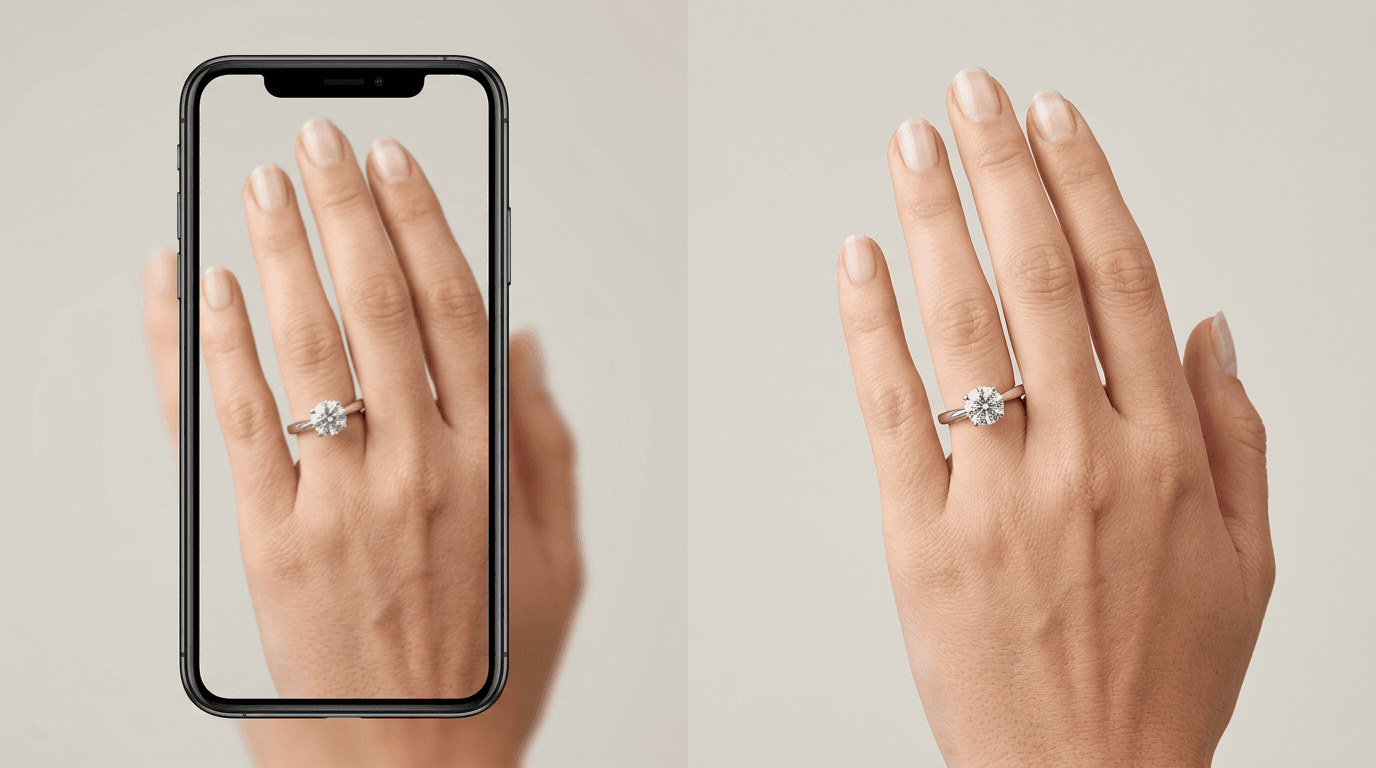
Virtual engagement ring try-on is software that places a photorealistic image of a specific ring onto a customer's hand, either as a live augmented reality overlay through their camera or as a generated still image from a photo they upload. For a jewelry brand it's a product-page feature backed by a digitized catalog.
Whatever the vendor calls their try-on software, three things happen:
- The system works out where the hand and the fingers are.
- It places the chosen piece of jewelry on the correct finger at a plausible scale.
- It renders metal and stone so the result reads as a photograph rather than a paste-up.
That third step is where virtual jewelry try-on lives or dies. Apparel forgives a lot, because a jacket occupies half the frame and nobody inspects the stitching. A ring occupies a tiny part of the image and gets looked at very closely, so any error in the shine, the shadow under the band, or the way a stone catches light is instantly obvious. Jewelry is the hardest category in virtual try-on for exactly this reason.
How Virtual Ring Try-On Works (Technical Deep-Dive)
Virtual ring try-on uses hand detection to locate the fingers, positions a 3D model of the ring at the right place and scale, and applies material simulation so metal and gemstones respond to light believably. AR does this continuously on a live camera feed. AI-generated try-on does it once, at higher image quality, from a photo.
The four steps, in order:
- The customer uploads a hand photo or opens the live camera.
- The system detects hand landmarks and estimates finger width.
- The ring model is scaled and positioned on the target finger.
- Material simulation renders the metal shine and the gemstone brilliance.
Hand Detection and Finger Placement
Hand tracking is the mature part of this stack, and it's more solved than most brands assume. Google's MediaPipe Hand Landmarker, one of the widely used implementations, returns 21 hand-knuckle landmarks per detected hand, each with x, y and z coordinates, plus world coordinates in meters and a left or right handedness label. (Google)
Twenty-one points is more than enough to find a ring finger and work out its orientation. So when a try-on fails, the model usually isn't the culprit. The photo is. Heavy shadow, a cluttered background, fingers pressed flat together, or a hand angled so the ring finger is foreshortened will all degrade the result. This is why customer guidance matters as much as the technology allows.
Ring Sizing, Scaling and Fit Accuracy
Be very clear about this internally before anyone writes marketing copy. Virtual try-on scales a ring so that it looks right in the image. It does not measure the finger.
There's no reference object of known size in a typical hand photo. Without one, the system estimates proportion, not millimetres. That's completely fine for the job it's actually doing, which is helping someone judge whether a 2.5mm band looks delicate or mean on their hand, and whether a halo overwhelms their finger. It is not a ring sizer. Any jewelry business that implies otherwise is buying itself returns, which is the opposite of the point.
Diamond and Gemstone 3D Rendering
Gemstones are the hardest surface in commerce to fake convincingly. A diamond is doing refraction, dispersion and internal reflection simultaneously, and the visible result changes with every shift in the lighting around it.
Physically based rendering is the standard answer. Rather than painting a highlight onto the stone, PBR describes the material's real optical properties and lets a light model produce the highlight. Get this right and the stone reads as genuine. Get it slightly wrong and it reads as glass, which is worse than offering no try-on option at all on a fine jewelry page. Customers are unforgiving here in a way they simply aren't about a sweater.
Metal Texture, Shine and Material Simulation
Metal is subtler, and in practice it's where more implementations quietly fall down. Polished platinum, brushed white gold and rose gold each reflect their surroundings differently. Rose gold in particular interacts with skin tone in ways customers notice immediately, and it's one of the main reasons people want to virtually try a ring before buying.
Which is the argument for high-quality source assets. A 3D model wearing a generic chrome material will look wrong on every hand, every time, and no amount of clever rendering rescues it.

AI vs Augmented Reality: Which Virtual Try-On Technology Fits Your Rings
Two families of virtual try-on solutions, and the honest answer is that they're good at different things. Anyone who tells you one has simply won is selling one of them.
| AR try-on | AI photo-upload try-on | |
|---|---|---|
| Input | Live camera feed | An uploaded photo |
| Output | Real-time moving overlay | A still, photorealistic image |
| Permissions | Camera access required | None |
| Device demands | Higher, varies by handset | Low, works on any device |
| Strongest at | Movement and angle changes | Image quality and zero friction |
| Weakest at | Rendering quality under motion | No live interaction |
| Asset needs | 3D model per SKU | Existing product photography |
What AI-Powered Virtual Try-On Solutions Do Well
AI try-on generates a single high-quality image from a photo the shopper already has on their phone. That one realistic virtual preview is the whole product, and the try-on lets someone see a ring on their own hand without leaving the product page. No camera prompt, no app install, and none of that permission dialog friction that a meaningful slice of visitors decline out of habit.
Rooop takes this approach. It's a photo-upload AI virtual try-on solution rather than an AR one, targeting 99% visual fidelity on the generated image, and because there's no camera dependency it behaves the same on a three-year-old Android as on a new iPhone. That compatibility matters a lot when most of your traffic is mobile, and it's why the user experience tends to be more user-friendly for older shoppers who find AR fiddly.
The tradeoff is real and worth saying out loud: you get a photograph, not a mirror. The customer can't rotate their hand and watch the stone catch the light from a new angle. For an engagement ring, which people genuinely do want to see from several angles, that's a limitation rather than a footnote. If live movement is the single most important thing for your catalog, AR ring try-on is the better fit and you should choose it.
Real-Time Accuracy of AR Try-On Technology
AR try-on gives you the movement. It uses AR to track the hand continuously and redraw the ring every frame, so turn your hand and the ring turns with it. For customers checking how a setting sits from the side, or how a band looks against the neighbouring finger, nothing else does that job. AR technology also carries a certain novelty that drives customer engagement and social sharing, which is a real marketing asset even when it isn't a conversion one.
What you pay for it is device variance and rendering budget. Real-time means the renderer gets a few milliseconds per frame, and that ceiling is why AR jewelry try-on often looks less convincing when you freeze it than a generated still does. It's also why AR results vary so much between a flagship phone and a budget one, and why compatibility testing eats more of the project than teams expect.
Cost Effectiveness and ROI of AI vs AR Implementation
Broadly, AI photo-upload is cheaper and faster to stand up, because it leans on 2D product assets many brands already own. AR needs proper 3D jewelry models for every SKU, and that asset pipeline is the expensive, slow part of the entire project.
I'd rather not quote a per-SKU modeling price, because the range quoted publicly is wide and depends almost entirely on setting complexity and whether you already hold CAD files. Get quotes for your own catalog before you budget. What I can say with confidence is that the modeling line item, not the software subscription, is what usually decides whether an AR project happens.
Benefits of Virtual Try-On for Jewelry Ecommerce and Fine Jewelry Retailers
Worth separating the benefits that are well evidenced from the ones vendors assert. These are the mechanisms that hold up:
- Fewer style-mismatch returns. Try-on addresses the specific case where a customer imagined one thing and received another. It does nothing for sizing returns, and being clear about that distinction keeps your forecasts honest.
- Better qualified enquiries. Customers who've narrowed to two or three rings arrive at your chat or showroom with a much shorter conversation ahead of them.
- A reason to stay on the page. A try-on tool gives shoppers something to do besides bounce, and time on a product page is a decent proxy for purchase intent on fine jewelry.
There's a fourth benefit that gets underrated. When you let customers try rings on themselves, you learn which pieces get tried and abandoned, which is merchandising data you simply cannot get any other way. A ring with a high try-on rate and a low conversion rate is telling you something specific about its photography, its price, or its proportions.
None of that shows up as a single dashboard number. Taken together though, a try-on tool does enhance the shopping experience in ways customers notice, and across a season that is what will increase sales rather than any one dramatic conversion jump. Steadier jewelry sales, fewer surprises at the door.
How Jewelry Brands Implement Virtual Ring Try-On
Choosing the Right Virtual Try-On Platform for Your Jewelry Catalog
Questions worth asking before anything else:
- Does it handle rings specifically, or are rings a checkbox on a product built for apparel and makeup?
- Does it integrate natively with your platform, or is this a development project in disguise?
- What does the asset pipeline look like, and who does that work, you or them?
- Is pricing published, or does every conversation start with a sales call?
That last one filters harder than people expect. A large share of virtual try-on vendors publish nothing at all, which tells you something about the deal sizes they're built around and whether a mid-sized jewelry store is really their customer.
Two more things worth pinning down early. Whether the vendor ships ready-made try-on apps for your platform or expects you to build against an API, and how much customization you get over the button, the upload screen and the result page. The jewelry market is small enough that a general-purpose vendor may never prioritize a ring-specific bug you report, so a good part of how you find the right partner is simply asking whether rings are on their roadmap at all.
Product Digitization and 3D Jewelry Models
Three routes to a digitized catalog:
- Photogrammetry. Photograph a physical ring from many angles and reconstruct the geometry. Accurate, and it needs the physical piece plus a rig.
- CAD. If your rings were designed in CAD, you may already own usable geometry. Comfortably the cheapest path when it applies, and most custom jewelry workshops have these files sitting in a drawer.
- AI reconstruction. Generate from your existing product photography. Fastest, and the quality tracks the quality of what you feed it.
Start with your fifty best sellers. Do not digitize four hundred jewelry items before you know whether customers use the feature, however tempting the volume discount looks.
Integrating Virtual Try-On With Your Online Store
On Shopify, integrating virtual try-on is usually an app install plus placing the try-on button on the product template. WooCommerce is a plugin and a shortcode. A custom stack means an API integration, which is a week or two of developer time rather than a quarter.
Budget more time for the catalog work than the integration. It's almost always the reverse of what people plan for, and it's the single most common reason these projects slip.
Virtual Ring Try-On ROI for Jewelry Brands
Measure a try-on feature the way you'd measure any conversion feature: engagement rate, conversion for shoppers who used it against those who didn't, return rate on digitized SKUs, and average order value.
Conversion, Customer Engagement and Customer Satisfaction Metrics
Start by counting how many shoppers use the virtual try-on at all. Everything else is a ratio built on that one number. Track these weekly once you're live:
- Try-on usage rate as a share of product page sessions
- Conversion rate, try-on users against non-users, on the same SKUs
- Average order value on try-on SKUs against comparable ones
- Support contacts mentioning fit or appearance
One caution on that second metric, and it's the reason a lot of published virtual try-on case studies overstate things. Customers who use a try-on tool were already more engaged than those who didn't. Some of the gap you'll measure is selection, not causation. A holdout group is the only clean read, and if a vendor's ROI claim doesn't mention one, treat the number as marketing.
Return Rate Reduction and Cost Savings
You can model this yourself with numbers you actually have. Take your current return rate on ring SKUs, split it into sizing returns and everything else, and apply any improvement only to the second bucket. Multiply by Optoro's 27% of purchase price to get the cost side. That gives you a defensible range rather than a vendor's headline.
I'd rather hand you that method than a percentage, because the honest position is that jewelry-specific, independently verified return-reduction figures are thin on the ground. Anyone quoting a precise one at you should be asked for the study.
Technical Requirements for Implementing Virtual Try-On
Most brands need less infrastructure than they fear.
For AI photo-upload try-on: a modern ecommerce platform, product pages you can edit, somewhere to store generated images, and a privacy notice that covers how customer photos are handled and how long you keep them. That last item is not optional and it's the one that gets forgotten.
For AR: everything above, plus 3D assets per SKU, plus genuine device testing across a spread of handsets rather than the two phones in the office.
Mobile and Web Compatibility Considerations
Test on an old Android. Test on desktop Safari. Test on a tablet held in landscape. Test with a customer whose hands aren't the hands of whoever built the feature, across a range of skin tones, because detection quality that looks fine in QA can degrade badly in the wild.
Then write the customer guidance. Two sentences and a sample photo next to the upload button will do more for your success rate than any amount of model tuning.
Virtual Try-On Software and Platforms for Jewelry Stores
This is a signpost rather than a ranking. For the full picture, see our comparison of jewelry virtual try-on platforms on features and pricing, and the shorter roundup of the best virtual try-on tools for rings.
The structural point is that transparency in this market varies enormously, which is itself useful information when you're shortlisting. Camweara publishes annual plans on its own pricing page, with Starter at $990 a year and Growth at $2,400 a year, and Enterprise quote-only. (Camweara) Several better-known AR try-on vendors publish nothing whatsoever, so a comparison spreadsheet built from public information will have large gaps in it no matter how much time you spend.
Rooop publishes three monthly plans at $24, $119 and $399, with 20% off annual billing and no per-tier cap on the number of try-ons. (Rooop) Full disclosure, Rooop is our product, so read that as context rather than a recommendation, and check the jewelry product page if you want the specifics.
Step-by-Step Implementation Guide
A workable sequence for implementing virtual try-on without stalling halfway:
- Weeks 0 to 2, decide. Pick AI or AR based on whether image quality or live movement matters more for your catalog. Choose fifty SKUs. Agree in writing what success looks like and what you'll compare against.
- Weeks 2 to 4, prepare the catalog. Digitize those fifty. Quality-check every single one against the physical piece under normal lighting, not studio lighting. Reject anything that looks like glass.
- Weeks 4 to 8, integrate and test. Install, place the button above the fold on the product page, write the customer photo guidance, and test across devices and skin tones.
- Weeks 8 onward, measure and expand. Soft launch to a slice of traffic with a holdout group. Read the data for a month before you digitize anything else.
Four to sixteen weeks end to end is realistic. The spread depends almost entirely on which digitization route you take and how quickly your team can quality-check models, not on the software.
What Virtual Ring Try-On Cannot Do
Worth stating plainly, because vendors won't.
It cannot size a finger. It cannot replace seeing a ring in person for the majority of buyers who told The Knot that mattered to them. It degrades on poor input photos, and a meaningful share of customer uploads will be poor. It won't rescue a ring that photographs badly to begin with, because the try-on output inherits every flaw in your source assets.
And it isn't a substitute for a good returns policy on a $5,000 purchase. Treat it as one input into confidence, alongside clear photography, honest specifications, a proper sizing guide, and a human being who answers questions.
Brands that position it that way get steady value from it. Brands that position it as a returns cure get disappointed in the second quarter.
Marketing Strategies to Boost Sales With Your Virtual Try-On Feature
Building a virtual try-on experience and getting shoppers to use it are two separate projects, and the second one gets neglected.
Put the button above the fold on the product page, not below the specifications table. Name it plainly, something like "See it on your hand", because customers don't search for features by their technical names. Add a sample photo showing what a good upload looks like, which lifts success rates more than anything else you can do cheaply.
Merchandise it at collection level too. A banner saying you allow customers to see any ring on their own hand does more work than a quiet icon buried on one product page, because a collection page is where customers can try one jewelry piece after another and judge how the jewelry looks against their own skin tone. Inviting customers to virtually try two or three settings before they email you costs nothing, and it shortens the conversation when they do.
Then use the output. Try-on images make excellent email and social content when customers consent to share them, and they give your remarketing something more specific to say than "you left something in your cart". If you also produce AI product photography, the same digitized assets feed both.
For in-store teams, a tablet running the same try-on tool bridges the gap between what a customer saw at home and what they came in to look at.