

Full disclosure before anything else: Rooop is our product, and it sits at number one on a list we wrote. That is a fair thing to be suspicious of. So every claim in this comparison, ours included, is tied to a price or a feature published on the vendor's own site, checked in August 2026. Where a vendor publishes no price, this article says "pricing on request" instead of guessing. Where a number could not be verified, it says that too.
That sounds like a low bar. It turned out not to be.
Key Takeaways
- Four of these eight virtual try-on tools publish a real monthly price. Entry pricing runs from free to about $33 a month.
- Several apps that appear on nearly every "virtual try-on clothes app" list do not support garments at all. They do eyewear, jewelry and makeup.
- One widely recommended vendor has been in insolvency proceedings since November 2025.
- AI virtual try-on works from a flat product photo. AR try-on usually needs a 3D model per SKU, and that is where small fashion brands quietly lose their budget.
What Is a Virtual Try-On Clothes App?
A virtual try-on clothes app lets a shopper see a garment on a body before buying. Modern virtual try-on software takes a product image and a customer photo and generates a composite. Older AR tools use a live camera feed and a 3D model of the garment. For clothing, virtual try-on technology built on AI is now the practical choice for smaller retailers.
That distinction sounds academic until you ask for a quote. AR try-on for apparel needs a rigged 3D model of every SKU, and somebody has to build each one. AI virtual try-on works from the flat lay you already shot for the product page. Same shopping experience for the customer, wildly different bill for you. Either way the promise to the customer is identical: try on clothes during online shopping instead of ordering three sizes and sending two back.
There is a naming problem too. "Virtual fitting room", "virtual dressing room", "outfit visualizer" and "virtual try-on app" all get used for the same thing, and sometimes for very different things. A few vendors also say "virtual clothing" when they mean digital-only garments that never get manufactured, which is a different business altogether. When you talk to vendors, ask what the shopper actually sees and where it appears.
How We Evaluated These Virtual Try-On Tools
Four filters, in this order. They are deliberately blunt, because the try-on technologies sold under this one label differ far more than the marketing copy admits.
Does it actually do clothes? Not sunglasses. Not lipstick. Garments, listed as a supported category on the vendor's own website. This filter eliminated more candidates than the other three combined, which is the most useful thing in this article.
Is the company still operating? Checked against company registries and current sites, not last year's press coverage. Two well-known names failed here.
Can a small brand buy it? Self-serve signup, or at minimum a real sales process, rather than a six-figure enterprise license.
Is there a published price? Verified prices got quoted exactly. Missing prices got written as "pricing on request." Nothing was estimated, and no third-party aggregator figures were used.
We did not use G2 or Capterra star ratings for any tool here, including our own. Ratings across this category are thin and easily gamed, and a rating is not a substitute for a price.
The 8 Best Virtual Try-On Clothes Apps for Fashion Brands
Ranked for DTC clothing brands specifically: Rooop, Genlook, Antla, FASHN AI, FitRoom, Botika, WEARFITS and TrynDbuy. The first four publish self-serve pricing starting between $19 and $24 a month. The last two are quote-based. Each entry below lists what it does, the real price, and one honest limitation.
1. Rooop (Best Overall Value for DTC Clothing Brands)
Rooop is an AI virtual try-on and product imagery platform for DTC and ecommerce brands, built first for Shopify. A shopper uploads a photo and sees the garment on themselves. No camera permission prompt, no AR session to load, which removes the exact step where mobile shoppers usually abandon. Rooop states up to 99% visual fidelity, meaning pose, lighting and body shape carry through into the generated image rather than getting flattened into a sticker.
Because it is photo-based rather than real-time AR, it works the same on iOS, Android and desktop. That matters more than it sounds when most of your traffic is mobile.
Published pricing on rooop.app: Starter $24/month, Pro $119/month, Business $399/month, with 20% off annual billing. Plans are credit-metered, and the higher tiers add AI model photoshoots and short shoppable video alongside try-on.
Limitation: credits mean a high-traffic storefront needs Pro or above, so model your volume before picking Starter. And again, we built it. Weigh this entry with that in mind.
2. Genlook (Cheapest Real Starting Point)
Genlook is clothing-first and covers dresses, outerwear, denim, knits, swimwear, activewear and plus-size items, which is a broader garment range than most competitors publish. Try-on images generate in roughly ten seconds from a customer photo.
Published pricing: a genuinely free plan at 10 try-ons per month, then Starter at $19.99/month for 100 try-ons, Growth at $29/month for 250, and Pro at $99/month for 1,000. Overage runs between $0.10 and $0.17 per extra try-on depending on tier. It integrates with Shopify, WooCommerce and PrestaShop, and offers an API for custom storefronts.
Limitation: ten free try-ons is a demo, not a pilot. You will need a paid tier before you learn anything real about conversion.
3. Antla (Best Shopify-Native Setup)
Antla is a Shopify app for fashion and apparel try-on. Its genuinely useful twist is a Klaviyo integration, so a try-on becomes an email capture rather than just a pleasant image the shopper looks at once and forgets.
Published pricing: Trend at $19.99/month for 100 try-ons, Runway at $49.99/month for 500, and Unlimited Fashion at $199.99/month for 2,000. Extra try-ons run $0.09 to $0.16. Every plan includes a 7-day free trial, which is the most generous trial in this comparison.
Limitation: Shopify only. If you are on WooCommerce, this is not your tool.
4. FASHN AI (Best If You Have a Developer)
FASHN is the engine underneath several other try-on products, which tells you something about the output quality. Beyond try-on it does product-to-model, model swap and AI image editing, so a single subscription can cover both your try-on feature and your catalog imagery.
Published pricing: Basic $19/month for 200 credits, Pro $49/month for 750 monthly credits plus 50 daily, Agency $99/month for 1,500 monthly plus 100 daily. New accounts start with 10 free credits. Annual billing works out to roughly two months free. A separate developer API is priced independently.
Limitation: there is no native Shopify app. You are either integrating an API yourself or buying a product built on top of FASHN.
5. FitRoom (Best Free Sandbox)
FitRoom is a straightforward AI try-on tool for clothes, with a free tier of 10 credits per month, capped at 10 wardrobe items and 10 custom models, and watermarked output. Unused credits roll over while you stay subscribed. An API is available.
Its paid plans could not be verified. The pricing page renders every tier as "$0 per month" with credit counts displaying as "NaN", so the real numbers are not readable from the site. Check the live page or ask before committing.
Limitation: watermarks make the free tier useless on a live product page. Treat FitRoom as a sandbox for testing whether try-on images of your garments look good enough to bother.
6. Botika (Best for On-Model Catalog Imagery)
Botika turns flat-lay product shots into on-model fashion photos. It is clothing-focused and good at the job, but the category needs stating plainly: this generates images for your product pages. It is not a widget your shopper interacts with. If what you actually need is to stop paying for photoshoots, this is the right tool on this list. If you need a try-on feature, it is not.
Pricing starts at $33/month for Lite. Their pricing page also shows a $100/year annual figure identical across all three tiers, which is plainly a rendering fault, so confirm annual terms directly rather than trusting the page.
Limitation: no shopper-facing try-on, and no named ecommerce integration on its site.
7. WEARFITS (Best Apparel Specialist)
WEARFITS runs a dedicated generative AI try-on line for apparel, kept separate from its 3D line for shoes and bags. Its own copy makes the argument directly: generative AI produces more realistic garment results than real-time 3D can manage. It integrates with Shopify and WooCommerce and offers an API.
Pricing on request. The apparel product page shows no price at all, only a demo booking. The site publishes three different and mutually inconsistent price sets in other places, so treat any figure you find for WEARFITS as unreliable until their sales team confirms it in writing.
Limitation: demo-gated. If you want to enter a card today and be live tomorrow, this is not that.
8. TrynDbuy (Best for Full-Outfit Try-On)
TrynDbuy covers tops, bottoms and footwear, and lets shoppers combine pieces into a complete outfit rather than trying one garment at a time. That matters if your merchandising is built around sets and style advice rather than single items. It offers mobile SDKs and web plugins.
Pricing on request. Nothing is published anywhere on the site.
Limitation: no named ecommerce platform integration, so budget developer time on top of whatever the license costs.
Virtual Try-On Software Comparison Table
| App | Entry price | Free tier | Clothing | Platforms |
|---|---|---|---|---|
| Rooop | $24/mo | No | Yes | Shopify |
| Genlook | Free, then $19.99/mo | 10/mo | Yes | Shopify, WooCommerce, PrestaShop, API |
| Antla | $19.99/mo | 7-day trial | Yes | Shopify, Klaviyo |
| FASHN AI | $19/mo | 10 credits | Yes | API only |
| FitRoom | Not published | 10/mo, watermarked | Yes | API |
| Botika | $33/mo | No | Imagery only | None named |
| WEARFITS | On request | No | Yes | Shopify, WooCommerce, API |
| TrynDbuy | On request | No | Yes | SDK, web plugin |

AI vs AR Virtual Try-On: Which Works for Clothes?
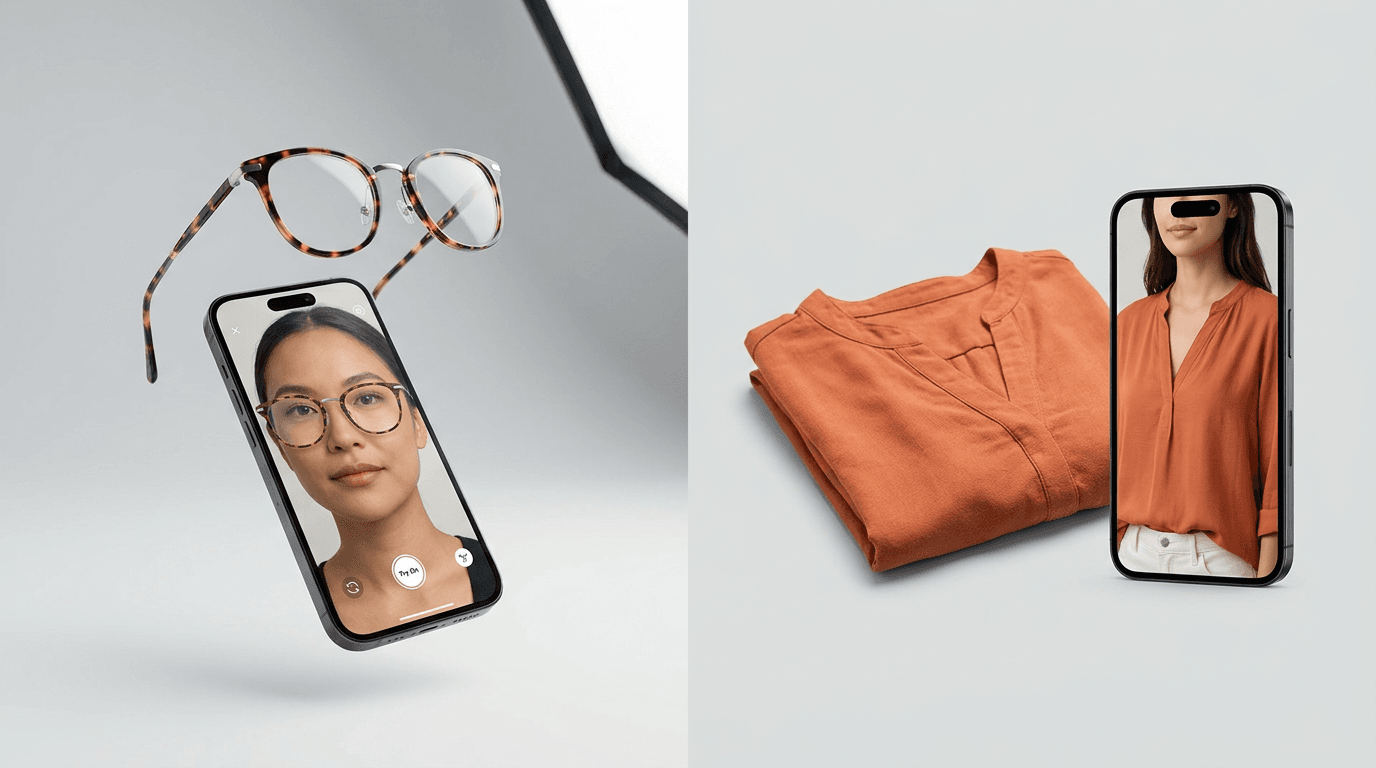
AR try-on overlays a 3D model onto a live camera feed, which suits eyewear, jewelry and watches where the object is rigid and sits at a predictable point on the body. AI virtual try-on generates a still image from a product photo and a customer photo, which suits garments, where fabric drapes and every body type is different.
The cost difference is the part vendors tend to skip. Augmented reality needs a 3D asset per SKU, and no AR technology on the market gets around that. Somebody has to do the 3D modeling, and that is either a line on the vendor's invoice or a freelancer you hire. At 400 SKUs that is a serious number before a single shopper has tried anything on. AI try-on reuses the product photography you already paid for.
There is a user-experience gap as well. Using AR means asking for camera permission, decent lighting, and a shopper willing to stand up and point a phone at themselves. Using AI on an uploaded photo needs one tap and works while someone is sitting on a train. For most mobile traffic that is the entire virtual try-on experience, and the shorter path wins.
AR still wins on interactivity. If a shopper wants to turn their head and watch sunglasses move in real-time, generative stills cannot do that. For clothes, that rarely matters. For eyewear, it is the whole point, which is why the accessory tools in the next section are genuinely good at what they actually do.
A third approach exists: full 3D body simulation with avatars and body measurements, used mostly for made-to-measure and uniform fitting. It is accurate and expensive, and it is not what a DTC brand needs on a product page. So there are three try-on technologies worth knowing about, and only the middle one is priced for a small apparel catalog.
Apps That Say "Clothing Try-On" But Only Do Accessories
Here is the trap that costs brands the most time. Three names appear on almost every list of the best virtual try-on tools for clothes, and not one of them lists garments as a supported category on its own website.
Zakeke. Its virtual try-on product page lists eyewear, headwear, jewelry, footwear and scarves, with watches marked as coming soon. No garments anywhere.
Banuba. Its try-on plugin covers makeup, glasses, contact lenses, jewelry, nail polish, headwear and hair color. No garments. Its published customer brands are all beauty companies.
GlamAR. This one is subtler and worth being careful about. Its fashion page does claim virtual try-on for clothes. But every customer logo GlamAR publishes is a toy retailer, eyewear brands, a telecom, beauty and jewelry. Not one apparel brand appears in its own case studies.
None of that makes these bad products. All three are capable accessory and beauty try-on platforms, and they let shoppers try on products where a rigid overlay is exactly the right technique. If you sell sunglasses they belong on your shortlist. They just are not clothing solutions, and being listed as one wastes a week of your evaluation time.
Vendors Whose Status Changed (Check Before You Shortlist)
Competing listicles are slow to update, so these four still get recommended regularly.
Reactive Reality, the maker of Pictofit, has been in insolvency proceedings at the Graz commercial court in Austria since late November 2025. The creditor protection association's published assessment was that restructuring or longer-term continuation appears impossible, and the matter was still unresolved into 2026. Do not build a storefront feature on it.
Letsy is now a consumer app published by Reface Europe UAB, available on the App Store and Google Play for individual fashion enthusiasts rather than merchants. There is no merchant API, SDK or ecommerce integration, so it cannot serve a brand.
Zyler now redirects to Bridely and sells bridal gown try-on only. If you sell wedding dresses it is worth a look. Otherwise it is out of scope.
Fit Analytics became independent again around January 2024, after Snap wound down the AR enterprise unit that had acquired it. Its current products are size recommendation and an AI shopping assistant, not garment visualization. Useful, but a different purchase.
3DLOOK has moved toward body scanning for health and fitness and made-to-measure tailoring. Its current site shows no shopper-facing garment try-on.
How Much Does a Virtual Try-On App Cost?
Self-serve virtual try-on software for clothes starts free and runs to roughly $200 a month at the top of small-business tiers. Verified entry prices sit between $19 and $33 a month for a few hundred try-ons per month. Most vendors meter by try-on credits, so your cost scales with traffic rather than with catalog size.
Budget for overage properly. At $0.09 to $0.17 per extra try-on, one product page going viral can double your bill inside a week. Estimate try-ons per month before choosing a tier, and check whether unused credits roll over.
Note what is not in that price. If a vendor requires 3D models, garment modeling is a separate cost and usually the larger one. If a vendor does not publish pricing at all, they are generally quoting annually and generally starting higher than the self-serve tools here.
Benefits of Virtual Try-On for Fashion Retailers
Worth being specific about what a virtual try-on feature actually buys you, because the marketing around this category is vague.
Online shoppers get to preview a garment on a body that resembles theirs instead of on a studio model who does not. That is the entire mechanism. Everything else follows from it.
For the retailer, the effects tend to show up in three places: fewer pre-purchase questions reaching support, more time on the product page, and better email content, since try-on images are genuinely shareable in a way that flat lays are not. Several tools now let you export try-on outputs for exactly that reason.
An AI-powered try-on also does one thing a studio shoot cannot. It puts the same style on many different bodies without booking a single model, so the customer who never sees her size represented finally does. That is a merchandising win as much as a technical one, and it is the closest an online shopping experience gets to the personal shopping a good sales assistant offers in-store.
The customer satisfaction argument is the honest one. A shopper who can visualize an outfit before ordering is making a more informed decision, and informed buyers complain less. Whether that shows up as a conversion boost or as lower return rates on your store is something only your data can tell you.
What to Look For When Buying Virtual Try-On Software
Seven questions separate a virtual try-on solution that survives contact with a real catalog from one that demos beautifully and then disappoints.
Does it render your actual category? Structured tailoring, sheer fabric and swimwear are much harder than a cotton t-shirt. Test with your worst SKU, never your easiest.
Can shoppers virtually try more than one piece at a time? Some tools handle a single garment per session. Others let people stack fashion items into a complete look. If your average order is two pieces, that difference shows up in basket size.
Does it handle your customers' bodies? Ask specifically about size range and body type coverage. A tool that only looks right on straight sizes will generate complaints from exactly the customers you most wanted to help.
Where does the try-on live? On the product page, inside a modal, or on a separate destination page. On-page placement converts better, and it is worth confirming before you sign rather than after.
What happens to customer photos? You are asking shoppers to upload images of themselves. Get the retention and deletion policy in writing, and make sure your privacy notice reflects it, before launch.
Can you get the images back out? Try-on outputs make good social and email assets. Some tools let you export them and some do not. Online stores running paid social will care about this more than most.
How fast is it, really? Ten seconds is fine. Forty is not, and shoppers will leave. Ask for a live demo on your own garment rather than a polished showreel.
Do Virtual Try-Ons Actually Reduce Returns?
Returns are a real and measurable problem. The National Retail Federation's 2025 Retail Returns Landscape put the overall US return rate at 15.8%, worth $849.9 billion, with online returns higher at about 19.3%. Apparel sits well above that average, because buying clothes online still leaves fit to guesswork.
Whether try-on fixes it is a harder question, and this is where most articles in this category stop being trustworthy. Nearly every conversion and return-rate statistic circulating about virtual try-on is vendor-published and self-reported, with no methodology attached.
The most quoted number in the whole market is a 94% conversion lift. It originates in a Shopify social post from September 2020, it referred to AR and 3D product interaction generally rather than clothing try-on, and no sample size, time window or control group was ever published. Treat it as marketing, not evidence, and be wary of any vendor who leads with it.
What is defensible: fit uncertainty drives apparel returns, and showing a garment on the actual buyer reduces fit uncertainty. That is a reasonable mechanism. Measure it on your own store, across a full season, against your own baseline return rate. Do not accept anyone's percentage, ours included, as a forecast for your brand.
Where Virtual Try-On Is Heading in Online Fashion
You are buying into a category that is still moving, so it helps to know which way before you sign anything.
The first shift is that try-on has stopped being a differentiator and started becoming a baseline. Google's shopping surface has carried an apparel try-on option for several years now, and some of the top brands in the fashion industry have built their own. Once shoppers meet try on experiences on the biggest sites, an ordinary product page starts to feel thin.
The second shift is in output quality. Early tools warped prints, dropped buttons and mangled hands. Generative systems built on artificial intelligence now hold fabric texture and print alignment well enough that most shoppers never stop to inspect the seams. That is the reason the prices in this article look the way they do. What needed a research budget a few years ago now costs less than a single product photoshoot.
The third shift is who pays for what. Digital fashion, virtual sampling and on-model image generation are converging into one line item. Several vendors on this list already sell try-on and catalog imagery out of the same credit pool, and the gap between the two is closing.
None of that argues for waiting. It argues against long contracts. For most online retailers the right move is a monthly plan you can walk away from, not a two-year license bought on a promise about the future of fashion.
Which Virtual Try-On App Is Right for Your Clothing Brand?
On Shopify, with budget, wanting catalog imagery as well as a try-on feature: Rooop or FASHN AI.
Testing the idea for as close to nothing as possible: Genlook's free tier, then its $19.99 plan when you outgrow it.
Wanting try-on to feed your email list: Antla, for the Klaviyo hook.
Needing product photography rather than a shopper-facing widget: Botika.
Running a large or unusual apparel catalog, and willing to sit through a demo call: WEARFITS.
Selling styled outfits rather than single pieces: TrynDbuy.
Just wanting to see whether AI try-on looks acceptable on your garments before spending anything: FitRoom's watermarked free tier.
The honest summary is that four of these eight publish a price you can act on today. For most small fashion brands, that is the shortlist worth working from, and the quote-based options are worth a call only once you know the self-serve tools cannot do what you need.
FAQs
What is the best virtual try-on app for clothes? For a DTC clothing brand on Shopify, Rooop, Genlook and Antla are the strongest self-serve options, and all three publish their pricing openly. The right pick depends on your monthly try-on volume and whether you also need AI catalog imagery.
Is there a free virtual try-on app for clothing brands? Genlook offers a free plan with 10 try-ons per month. FitRoom offers 10 watermarked credits per month. FASHN AI gives 10 free credits at signup, and Antla runs a 7-day free trial. All are demos rather than pilots.
Do virtual try-on apps need 3D models? AI-based tools do not. They work from your existing flat-lay product photos. AR-based try-on generally needs a 3D model per SKU, which is the hidden cost inside most AR quotes.
Which virtual try-on apps work with Shopify? Rooop, Genlook, Antla and WEARFITS all offer Shopify integration. Genlook also supports WooCommerce and PrestaShop. FASHN AI is API-only.
Are Zakeke and Banuba good for clothing try-on? Neither lists garments as a supported category on its own site. Both are capable accessory and beauty try-on platforms, but they are not clothing solutions, and they should not be on a clothing shortlist.
How accurate is AI virtual try-on for clothes? Accuracy varies by garment. Simple shapes render reliably. Structured tailoring, sheer fabrics and complex draping are harder. Rooop states up to 99% visual fidelity on its own results. Whatever the vendor claims, test with your most difficult SKU before committing.
How long does it take to add virtual try-on to a store? For an app-store install on Shopify, it is usually same-day. API-only tools like FASHN AI need developer time. Quote-based vendors typically run a guided onboarding, which is slower but comes with support.
Where to Go Next
If you want the mechanics rather than the shortlist, our complete technical guide to virtual clothes try-on covers how garment rendering actually works. For category-specific questions, we have guides on virtual try-on for dresses and AI clothes changer technology. If you are still deciding between approaches, read 2D vs 3D virtual try-on.
To see what Rooop does on your own garments, start at rooop.app, or read more about virtual try-on for clothing brands.